
We’ve spent years working with moving companies, building CRM software, and talking to owners about what actually works and what does not.
Choosing a CRM for a moving company is not like choosing most software. It becomes the backbone of how your business is run — how leads are handled, crews are dispatched, jobs are documented, and billing gets done. This guide covers the main platforms available in 2026, what each one is actually built for, and a straightforward framework for deciding which approach fits your operation.
Most platforms on this list check the same feature boxes on paper. The real difference shows up in how those features are built: how configurable they are, how they connect to each other, and whether the underlying logic matches how your operation actually runs.
Before you start demos
Most moving CRM demos look good. The system is clean, the workflow is prepared, and the example job usually fits the software perfectly.
The real question is what happens when your operation does not fit the demo scenario.
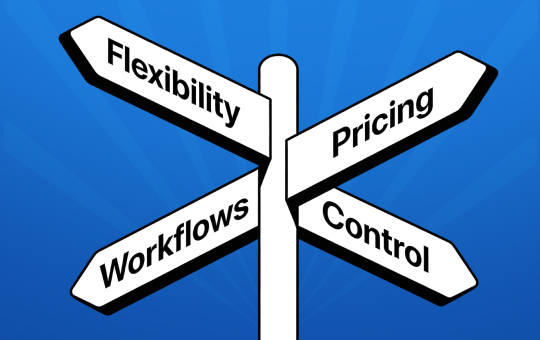
- Workflow control: Can you configure the system around how your company sells, estimates, dispatches, bills, and follows up — or do you need to adapt to the platform’s process?
- Pricing predictability: What happens when you add users, crews, branches, storage, messaging, AI features, or automation?
- Contract flexibility: Are you free to leave if the system does not fit, or are you locked into a quarterly or annual commitment?
- Customization depth: Can you adjust fields, documents, automations, reports, and branch workflows without constantly requesting custom development?
- Setup speed: Does your team have the bandwidth to configure a flexible system, or would a platform with built-in processes get you running faster? A more structured CRM can be fully operational in days; a highly configurable one may take weeks to set up correctly.
- Long-term fit: Will the CRM still work when your company adds locations, managers, salespeople, crews, storage, or new service lines?
The Platforms
MoversTech
Built for: Moving companies that own their operation and want full control over how the CRM is configured.
MoversTech covers the full operational lifecycle – lead capture, estimating, dispatch, crew management, storage billing, invoicing, claims, and reporting – in one connected system. The defining characteristic is flexibility: workflows, automation, document templates, dispatch views, and reporting can all be configured to reflect how a company actually operates rather than a prescribed model.
Automation is trigger-based and fully visible. Dispatch uses configurable calendar views with crew access via iOS and Android apps. Storage management is built directly into the CRM with automated recurring billing. Multi-branch operations are supported with per-location branding, pricing, and workflows. MoversTech also supports automatic tariff and estimate calculations, so pricing rules can be applied based on configured job conditions instead of relying on manual recalculation or disconnected spreadsheets.
Where it’s not the right fit: MoversTech is not the best fit for companies that want a very basic plug-and-play system with little or no setup.

SmartMoving
Built for: Companies that prefer a standardized, portal-driven customer experience and structured module-based workflows.
SmartMoving centers its experience around a customer portal that consolidates inventory, estimates, and documents in one place. On the dispatch side, it offers a drag-and-drop board with conflict detection and structured assignment controls. The interface is module-driven, with functionality segmented across clearly defined views.
Where it works well: Teams that want to be operational quickly without a lengthy configuration phase. SmartMoving customer support is frequently cited as responsive and hands-on from day one.
For teams that prefer a predefined framework, this structure works well. The trade-off is that adapting the system when workflows change requires working within the structure rather than reconfiguring it. If you want to see how that plays out across specific operational areas, the MoversTech vs SmartMoving comparison goes deeper on estimating, dispatch, integrations, and pricing structure.
Supermove
Built for: Companies that want AI-assisted automation and are comfortable with a more system-guided operational model.
Supermove layers AI-assisted capabilities – follow-ups, call summaries, workflow progression – on top of core moving CRM functionality. For teams that prefer a system that comes with established processes built in rather than building their own, the approach has real appeal.
Where it works well: Companies that want automation without building it from scratch. The AI-assisted follow-up and workflow tools are genuinely capable, and larger operations report that the platform handles scale well once configured.
The trade-off is control. When automation is AI-assisted rather than operator-configured, the logic governing system behavior is less directly adjustable. For operations where predictability and control over workflow behavior matter as the company grows, that distinction becomes relevant. The MoversTech vs Supermove breakdown covers this control vs abstraction trade-off in detail if that’s the decision you’re working through.

MoveitPro
Built for: Companies that want a clearly prescribed operational model with consistent workflows across estimating, dispatch, and documentation.
MoveitPro enforces a defined process from lead to completed job – structured surveys, standardized pricing logic, centralized dispatch controls. For companies that want the CRM to prescribe how work moves through the system and enforce consistency across estimators and crews, this is a genuine fit.
The trade-off: when the operation grows, or changes, adapting to a non-standard workflow requires working against the system’s structure rather than with it. That’s typically when workarounds start accumulating. The MoversTech vs MoveitPro comparison looks at how these two philosophies — prescribed vs flexible — play out across estimating, dispatch, reporting, and mobile use.
Granot
Built for: Brokers, booking agents, and long-distance coordinators managing subcontractor networks, affiliate settlements, and interstate tariff compliance.
Granot is more closely associated with traditional moving software, long-distance coordination, booking, storage, and broker-style workflows than with modern CRM customization for owned-crew operations.
It includes affiliate financial ledgering, DOT-compliant tariff documentation, and Movers Arena, a load board for matching capacity across carrier networks.
If that’s your business model, no other platform on this list serves it. If you own your operation and run your own crews, Granot is not built for you. The MoversTech vs Granot article explains the structural difference between the two operating models in more detail — worth reading if you’re not entirely sure which side of that line your business sits on.
How to Evaluate Without Getting Misled by Demos
Demos are optimized to look clean. What you don’t see is how the system behaves when a job changes last-minute, when billing needs documentation from six weeks ago, or when a new service type doesn’t fit the existing workflow.
A few things that improve the quality of any CRM evaluation:
Bring your own scenarios. Walk through a job that reflects how your company actually works- your lead sources, your pricing, your dispatch logic. If the demo defaults to a generic scenario, that’s informative on its own.
Ask what changes look like. What does it take to adjust a workflow, change a document template, or add a location? The answers tell you how configurable the system actually is versus how configurable the sales material says it is.
Ask about support after onboarding. What does day-to-day support look like six months after you’re live? Who do you contact, and how fast do they respond? For operational software, the quality of ongoing support matters as much as the quality of onboarding.
Ask about pricing over time. What happens when you add users, locations, or need features from a higher tier? Predictable pricing matters more over two or three years than the entry-level monthly rate.
Decision Framework: Which Platform Fits Your Operation
Rather than a simple ranking, the table below routes by operating model and priorities – because the right CRM depends almost entirely on how your business runs, not on which platform has the longest feature list.
| Platform | Best fit when… | Watch out if… |
|---|---|---|
| MoversTech | You own your crews and want a flexible CRM that can adapt to your sales, dispatch, documents, billing, storage, and branch workflows. You look for modern UX across all devices. | You cannot commit time for onboarding. Setup requires some involvement from your team, especially if you want to take full advantage of customization. Companies looking for a very basic plug-and-play setup may prefer a more standardized platform. |
| SmartMoving | You want a polished, structured moving CRM with strong dispatch tools, customer/crew portals, and a defined operating flow. | Your team needs more pricing predictability as it grows. Buyer feedback suggests user, branch, and crew-related fees can increase the total monthly cost quickly. Confirm contract length before signing. |
| Supermove | You want an enterprise-style moving platform with paperless workflows, automation, and AI-assisted features. | Pricing is not publicly disclosed and requires a sales process. Larger operations should carefully review total cost, including AI, truck, and usage-based components. |
| MoveitPro | You want an industry-specific moving system with a more prescribed process from lead to completed job. | Public reviews show mixed experiences around usability, support, and reliability. |
| Granot | You want a traditional moving-software system, especially for long-distance, storage, booking, or broker-style workflows | You want a modern, highly flexible CRM experience with cleaner UX and deeper customization. Public reviews describe the platform as older or limited compared with newer systems. |
Pricing, Contracts, and What to Confirm Before Signing
Pricing structures vary significantly across platforms. The comparison below covers base plan costs, what’s included, and contract considerations to help you evaluate the true monthly cost.
| Platform | Pricing and contract notes |
|---|---|
| MoversTech | MoversTech offers two plans, with a number of office users and crew access included depending on the plan. For growing teams, buyer feedback suggests total monthly cost typically stays in the $300-$700 range depending on plan and team size. Subscriptions are on a month to month bases. |
| SmartMoving | Public pricing starts at $299/month or $399/month, but the base subscription does not appear to include users. Buyer feedback suggests SmartMoving’s total monthly cost can reach $800–$2,500 depending on the plan tier and add-ons selected. Contracts of up to one year are commonly reported by buyers, so companies should confirm both final monthly cost and commitment length before signing. |
| Supermove | Pricing is not publicly disclosed and requires a sales process. Buyer feedback suggests enterprise-style pricing, with possible additional costs tied to AI features, truck count, or usage. Long-term contracts are commonly reported by buyers, so total cost and commitment length should be reviewed carefully before signing. |
| MoveitPro | Buyer feedback suggests pricing may start around $266/month, with additional per-user charges and no users included in the base price. Contract length should be confirmed before signing, as longer commitments are commonly reported by buyers. |
| Granot | Buyer feedback suggests pricing may start around $325/month or $495/month, with possible added costs for storage, email, and branches. Contract terms are less clear publicly and should be confirmed directly. |
*Some pricing and contract details are based on firsthand feedback from moving companies that evaluated or used these platforms, because not every provider publicly discloses full pricing. Buyers should confirm final pricing, included users, crew access, branch fees, usage-based charges, and contract terms directly with each vendor before signing.
What users say in public reviews
Public reviews across Google, Capterra, G2, and Software Advice show that all five platforms have real users who value them — and real users who don’t.
SmartMoving earns consistent praise for ease of use, with Capterra reviewers describing it as clean and straightforward to learn, with some users pointing out the platform is not optimized for smaller devices.
Supermove users report strong experiences with automation, though some note support responsiveness as a concern – one Capterra reviewer flagged that they “can’t get a customer service agent 95% of the time.”
MoveitPro has positive reviews around support and onboarding, but also carries some of the sharpest criticism in the category, including a Capterra user who described quote calculations as “unreliable and glitchy” — a meaningful concern for a platform where estimating accuracy is central.
Granot users who know the broker model find it efficient for estimating and lead tracking, though the recurring criticism is age: one G2 reviewer called it “old antiquated software, limited on what you can do”.
MoversTech reviews point to the all-in-one structure and customization depth. One user on Software Advice noted they chose it after demoing “just about all the moving CRMs out there.” Another user on Google Business Profile noted “I was impressed with the user friendly software features it displayed.” Critical reviews flag a steeper onboarding curve and describe the initial setup period as longer than expected.

Built for Where You’re Going
The best moving CRM is not simply the one with the longest feature list. Most serious platforms can manage leads, estimates, documents, dispatch, and billing.
The core decision is whether you want the software to adapt to your operation or your operation to adapt to the software. A structured platform like SmartMoving or Supermove gets you running faster and enforces consistency across your team — the trade-off is less flexibility when your workflows don’t match the built-in model. A configurable platform like MoversTech takes longer to set up but can be adjusted as your operation changes. If your business is built around broker and carrier networks, Granot covers ground the others don’t. No platform on this list is the right fit for every moving company.
The right choice depends less on which demo looks cleanest and more on which system will still fit your company two years from now.
FAQ
What is the best CRM for moving companies in 2026?

The best moving CRM depends on how much control your company wants over workflows, customization, pricing, contracts, and daily operations. Most serious moving CRMs can manage leads, estimates, documents, dispatch, and billing. The real difference is how well the system adapts as your company adds users, crews, branches, storage, or new service lines. MoversTech is a strong fit for moving companies that want flexible workflows, predictable pricing, and more control over how the system is configured. SmartMoving, Supermove, MoveitPro, and Granot may each fit different companies depending on whether they prefer a more structured platform, enterprise-style layout, prescribed workflows, or traditional moving-software functionality.
What questions should I ask during a moving CRM demo?
Ask questions based on your real operation, not generic demo scenarios. Some useful demo questions include:
- Can you show a job from lead to completed invoice?
- How do we change a workflow after onboarding?
- How do I automate customer communication?
- Can I customize layouts so the most important information appears first?
- What happens if I'm unsatisfied with the software and wish to leave after a month?
Why choose a moving-specific CRM instead of a generic CRM?
A generic CRM can manage contacts, leads, tasks, and follow-ups, but moving companies need much more than basic sales tracking. A moving-specific CRM connects the full operation: lead intake, estimates, inventory, contracts, dispatch, crew management, storage, billing, payments, claims, and reporting. That matters because in moving, sales and operations are tightly connected. A change in the estimate can affect dispatch, crew assignment, customer documents, billing, and job profitability.
How much does moving CRM software cost?
Moving CRM software can cost anywhere from around $249/month to several thousand dollars per month, depending on the platform and company size. The real cost depends on more than the base subscription. Buyers should confirm whether office users, crew members, branches, storage, messaging, AI features, onboarding, and contract terms are included or billed separately. Before committing to a platform, ask for the full monthly cost based on your actual team size, number of crews, locations, and required features — not just the advertised starting price.
Do moving CRMs usually require long-term contracts?
Some moving CRM providers use monthly, quarterly, or annual contracts depending on the plan, company size, or sales agreement. Based on buyer feedback, longer commitments are common with some platforms, especially for larger or more advanced implementations. Before signing, ask whether the agreement is month-to-month, quarterly, or annual, and what happens if the software does not fit after onboarding. Contract flexibility matters because a CRM becomes central to daily operations.
How important is customization in a moving CRM?
Customization is very important if your company does not operate exactly like every other mover. Moving companies often have different job types, sales processes, pricing rules, branch structures, dispatch methods, document templates, claim workflows, and reporting needs. A CRM with deeper customization can reduce workarounds and help the system stay useful as the company grows. Without enough flexibility, teams may end up adjusting their operation around the software instead of the software supporting the operation.
How to ensure efficient CRM implementation?
Before choosing a platform, ask who configures the system, whether onboarding is included, how data migration works, how long setup usually takes, and what support looks like after launch. The best platform is not always the one that looks most impressive in a demo. It is the one your sales team, dispatchers, owners, estimators, and crews can use consistently once real jobs, schedule changes, billing questions, and customer communication start flowing through it.
